Forms are how a company fulfils its reporting obligation in NRIZ. Each form belongs to an active obligation assigned by the Agency. The portal does not offer a free choice of form types.
This page describes the shared lifecycle. Specific forms — who must send them, what they cover, and what to enter — are in the form catalogue.
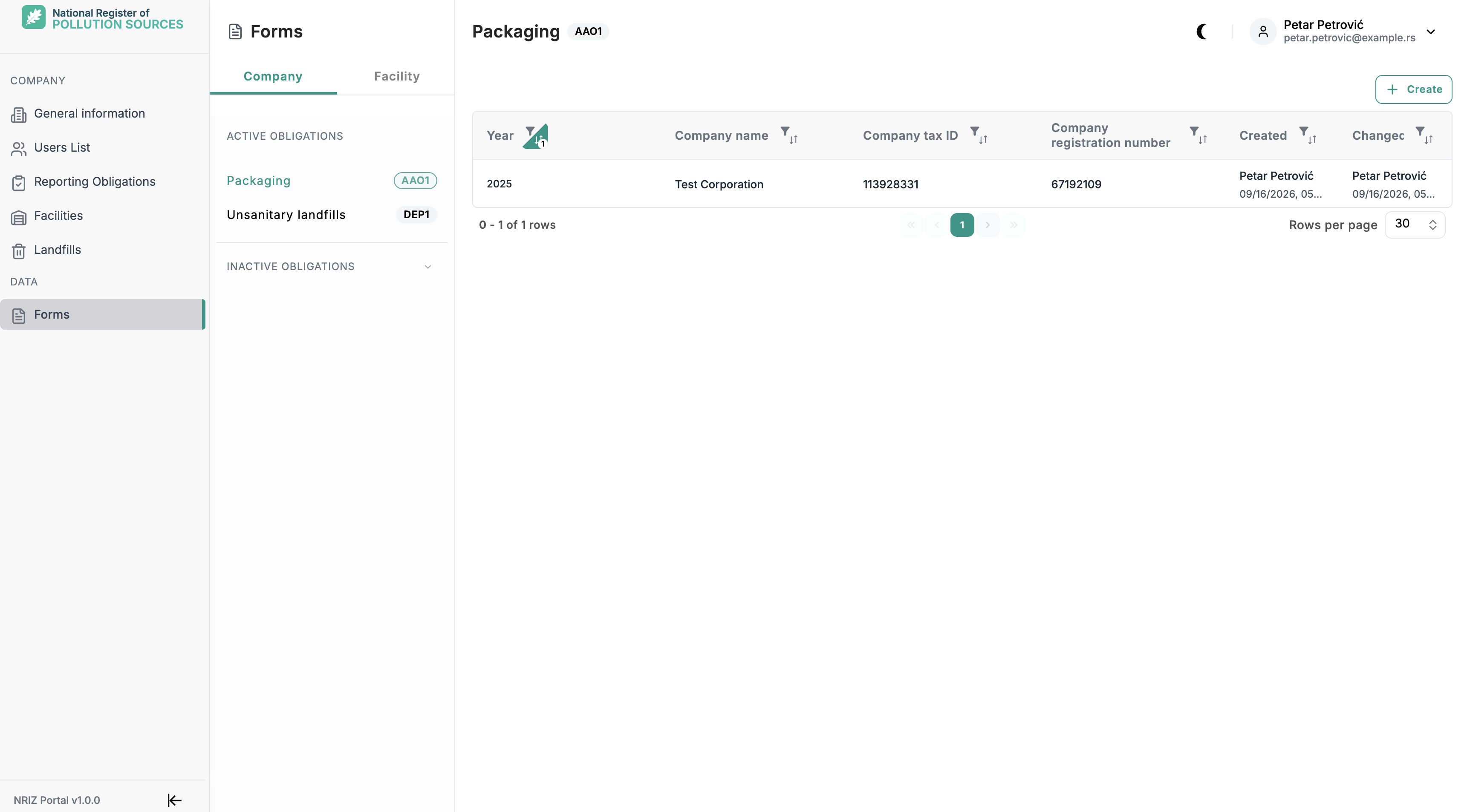
How a form appears
A form can be created only when all of the following apply:
- the company (and facility or source, when required) is active
- NRIZ has assigned the matching reporting obligation
- the reporting year or date is not locked
- the signed-in account has access to that company or facility
Company-level forms (packaging, landfills, special product flows, indirect water) belong to the legal entity. Facility-level forms belong to a specific site. Some emission forms also require a pollution source.
Find and create
- Open Forms in the portal.
- Filter by form type, year, facility, or status when the list is long.
- Use Create only for an obligation that is still missing a form for that period.
Most forms are annual: one report per entity and calendar year. Two groups are by date:
- DEO6 / GIO6 — a report for a chosen reporting date
- DKO — one document per hazardous-waste movement (handover date)
Company, facility, year (or date), and source — once saved — cannot be changed. A wrong header means the draft must be deleted and created again.
Draft, save, and submit
Work stays in a draft until submit. Save as often as needed. Validation runs on save and again on submit. Typical blockers are empty required fields, quantities that do not add up, or a missing statement of responsibility.
The statement of responsibility must be confirmed before the form can be saved or submitted. After submit, the form is locked. Further edits require NRIZ to unlock it for correction.
Deadlines
| Kind of form | Usual deadline |
|---|---|
| Annual forms (previous calendar year) | 31 March |
| Daily waste forms (DEO6 / GIO6, DKO), when assigned | By the reporting or handover date during the year |
No activity in the year does not remove the obligation. A zero report is still required so the Agency has a record that there were no emissions or waste movements.
Missing the deadline, failing to submit, or entering false data can have legal consequences. Exact sanctions are in legislation, not in this help.
Who can work on a form
| Role | Typical access |
|---|---|
| Company Admin | All company and facility forms for the company |
| Company user | Company-level forms (for example AAO, DEP, PTP2, PZV1) |
| Facility user | Forms for facilities the account is granted |
If Create is missing, check the obligation list under the company or facility, confirm the entity is active, and confirm the year is not locked. The catalogue lists which role works with which form group.